
Bank PDFs to Excel. GST Invoicing.
Direct Tally XML Export.
Convert supported bank PDFs, fix broken narrations in the built-in spreadsheet, and export Tally XML files for review and import into accounting workflows.
0%
Client Confidentiality
0%
Faster Data Prep
0%
Tally XML Validated



Advanced Post-Processing & CA Workflows
Everything You Need in One Desktop App
Smart PDF Converter
Make your messy bank PDFs into neat Excel files in just a few seconds. It automatically finds columns and combines broken multi-line narrations for more than 50 Indian banks.
Explore Smart PDF ConverterBuilt-In Spreadsheet Editor
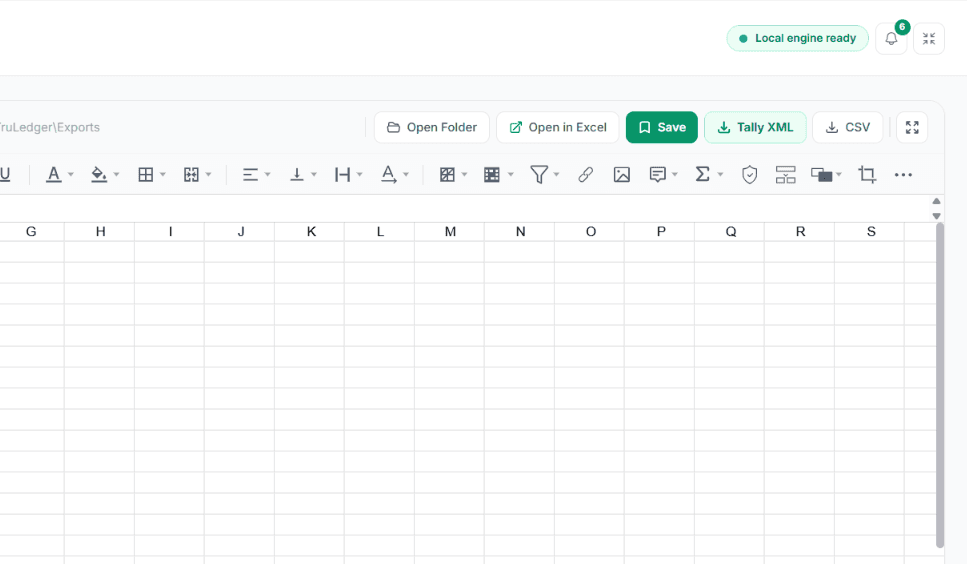
Preview, edit, and map ledgers right in the app. You can edit full spreadsheets and import any Excel file without having to pay for a Microsoft Excel license.
Explore Built-In Spreadsheet EditorDirect Tally XML Export
Make XML files that work with Tally Prime and ERP 9. Includes schema validation before export to find missing ledgers and vouchers that aren't balanced before you import.
Explore Direct Tally XML ExportGST Invoice Generator
WYSIWYG invoice builder with B2B/B2C/Export classifications, automatic routing of CGST/SGST/IGST state codes, and six professional color themes.
Explore GST Invoice GeneratorPayment Receipt Generator
Professional receipts that automatically change the amount to words in Indian numbers (Crore, Lakh). Can create batches from CSV/Excel.
Explore Payment Receipt GeneratorOffline GSTIN Validator
Use the Verhoeff check digit algorithm to quickly check the validity of any GSTIN. Do structural PAN/State analysis for one or many people without being connected to the internet.
Explore Offline GSTIN Validator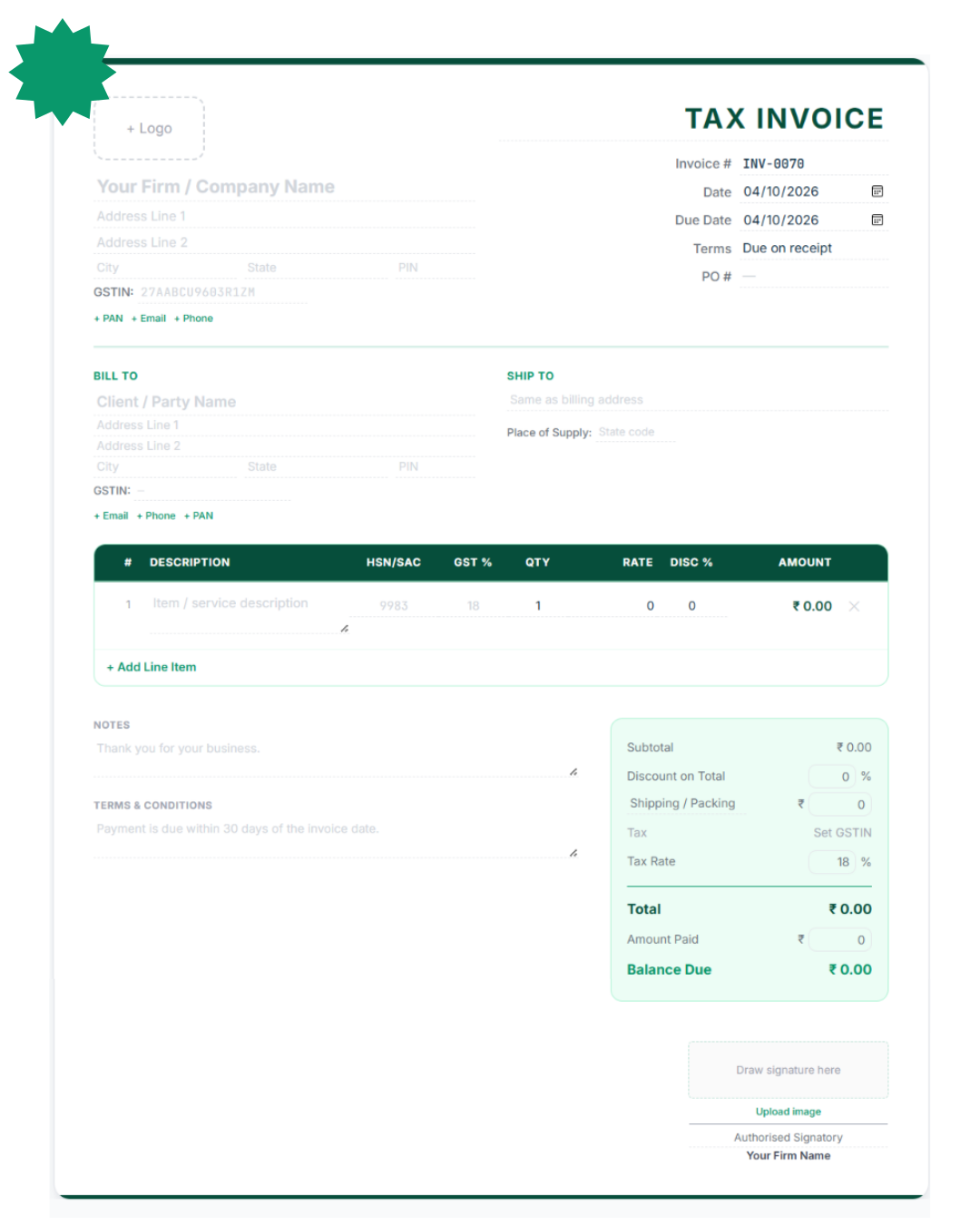
Professional GST Invoices in Seconds
Make GST invoices in a desktop workflow that works offline first. Click directly on the preview to change any field without having to use clunky forms. Includes six professional themes and seven types of documents.
Automatic Tax Routing
Extracts state codes from GSTINs to automatically split CGST and SGST or apply IGST.
Multiple Format Export
Download as a pixel perfect PDF, Excel, JSON, or direct Tally XML Sales Voucher.
Payment Receipt Generator
Make branded payment receipts that automatically convert amounts to words in Indian numbering formats like Lakhs and Crores. It supports six ways to pay, such as UPI and NEFT.
Need to process bulk payments? Import your payment list from Excel or CSV to rapidly generate hundreds of customised receipts all at once.
Explore Receipt Tools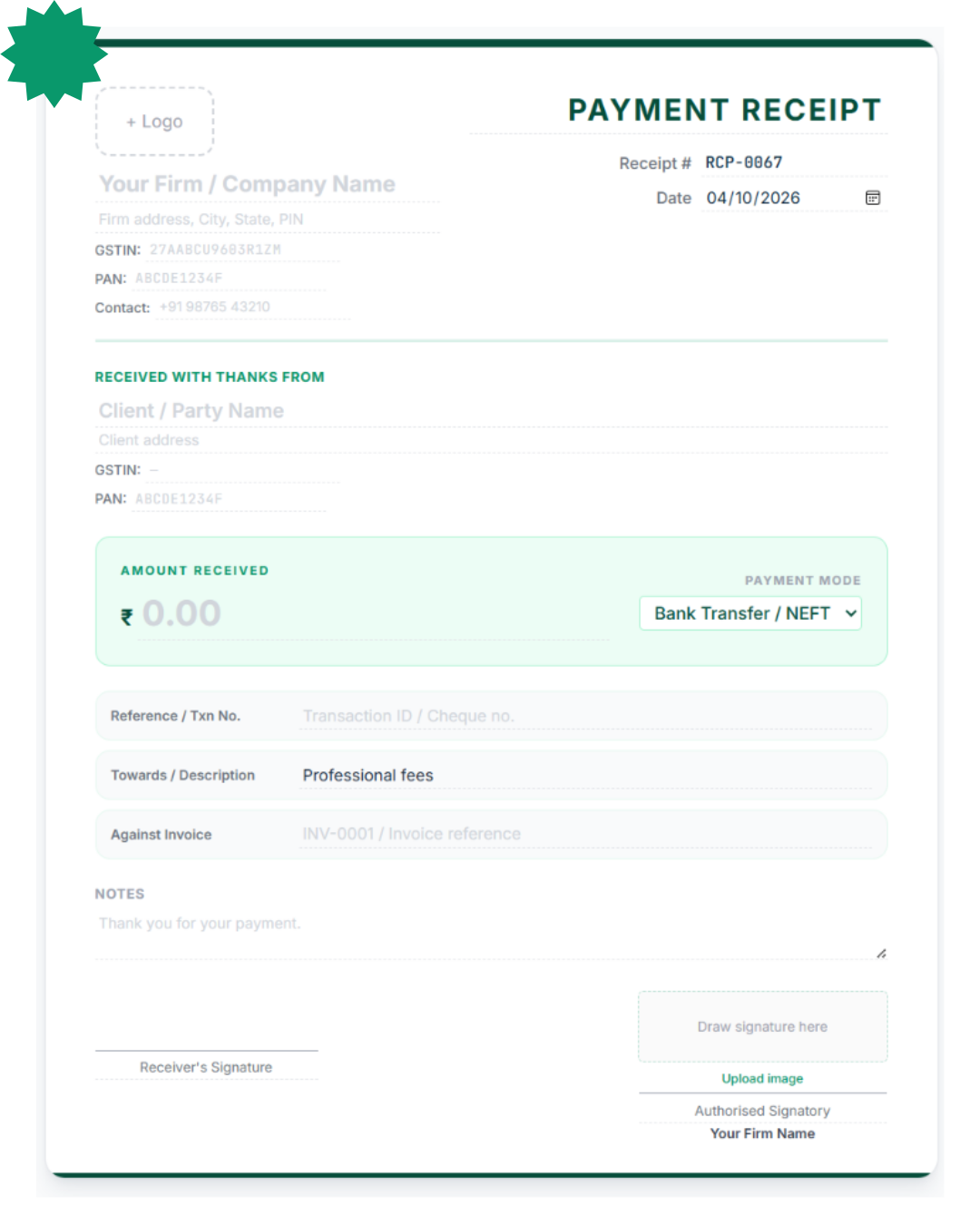


Advanced PDF Parsing, Spreadsheet Editing & Tally XML Export Workflows
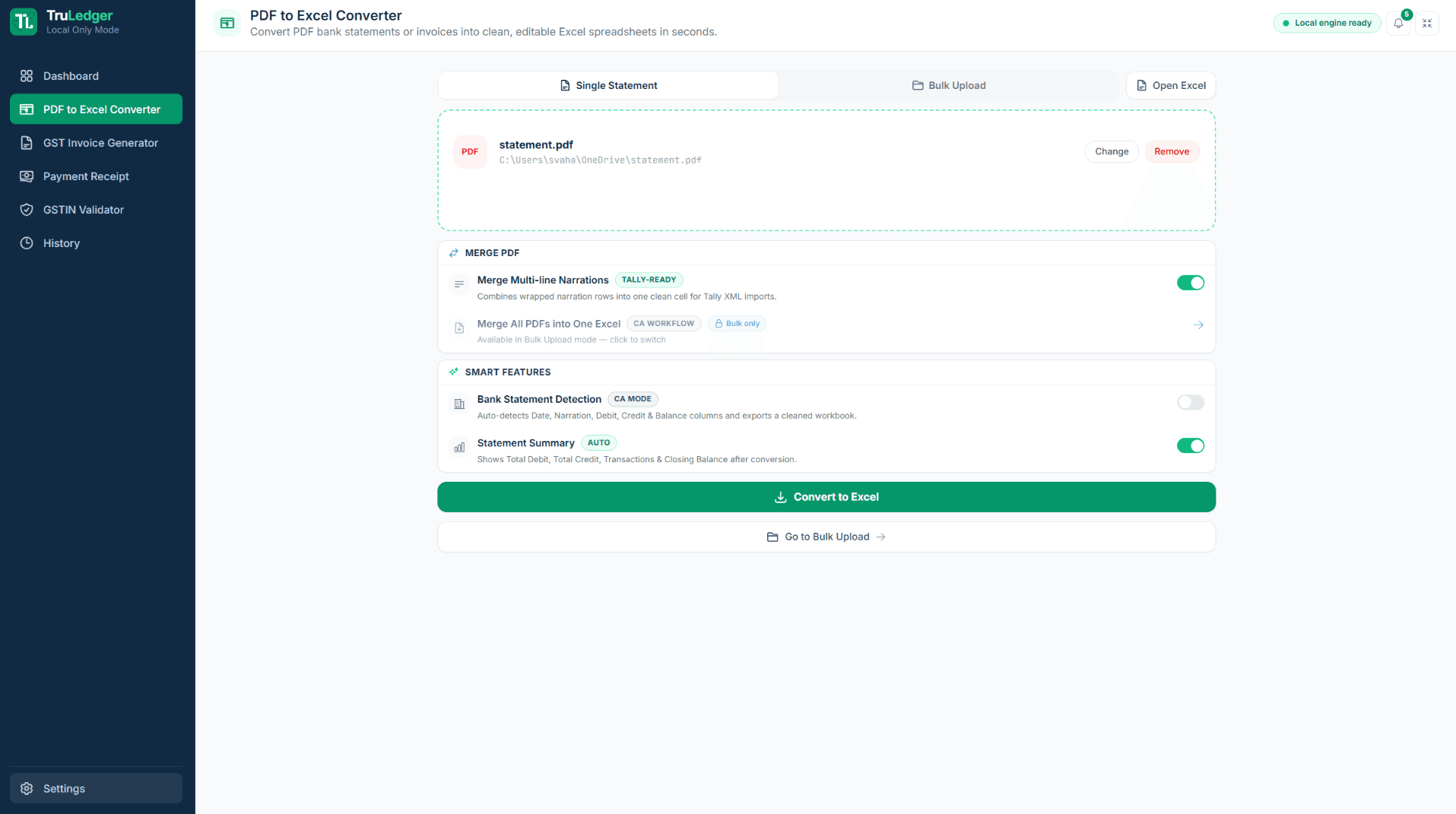
Smart PDF Parsing & Narration Merging
Drag and drop your PDF (or a whole folder of 12 monthly statements for Bulk FY Consolidation) into the engine. The engine can now automatically detect the Date, Description, Debit, Credit and Balance columns for over 40 Indian banks through a heuristic header matching approach.
Our post processing algorithm identifies if a transaction's narration spans over more than one line, merging these broken rows into a single neat cell to avoid the annoying Tally import errors.
Built-In Spreadsheet Editor (No MS Office Required)
Preview, review, and edit your converted data natively inside TruLedger's embedded FortuneSheet engine. Make corrections, map missing ledgers, and format columns without ever buying a Microsoft Excel license.
The engine automatically applies Data-Type Repair to clean up dates and numbers. You can also bypass PDFs entirely by utilizing Universal Input to drop raw .xlsx or .csv files directly into the editor for cleanup.
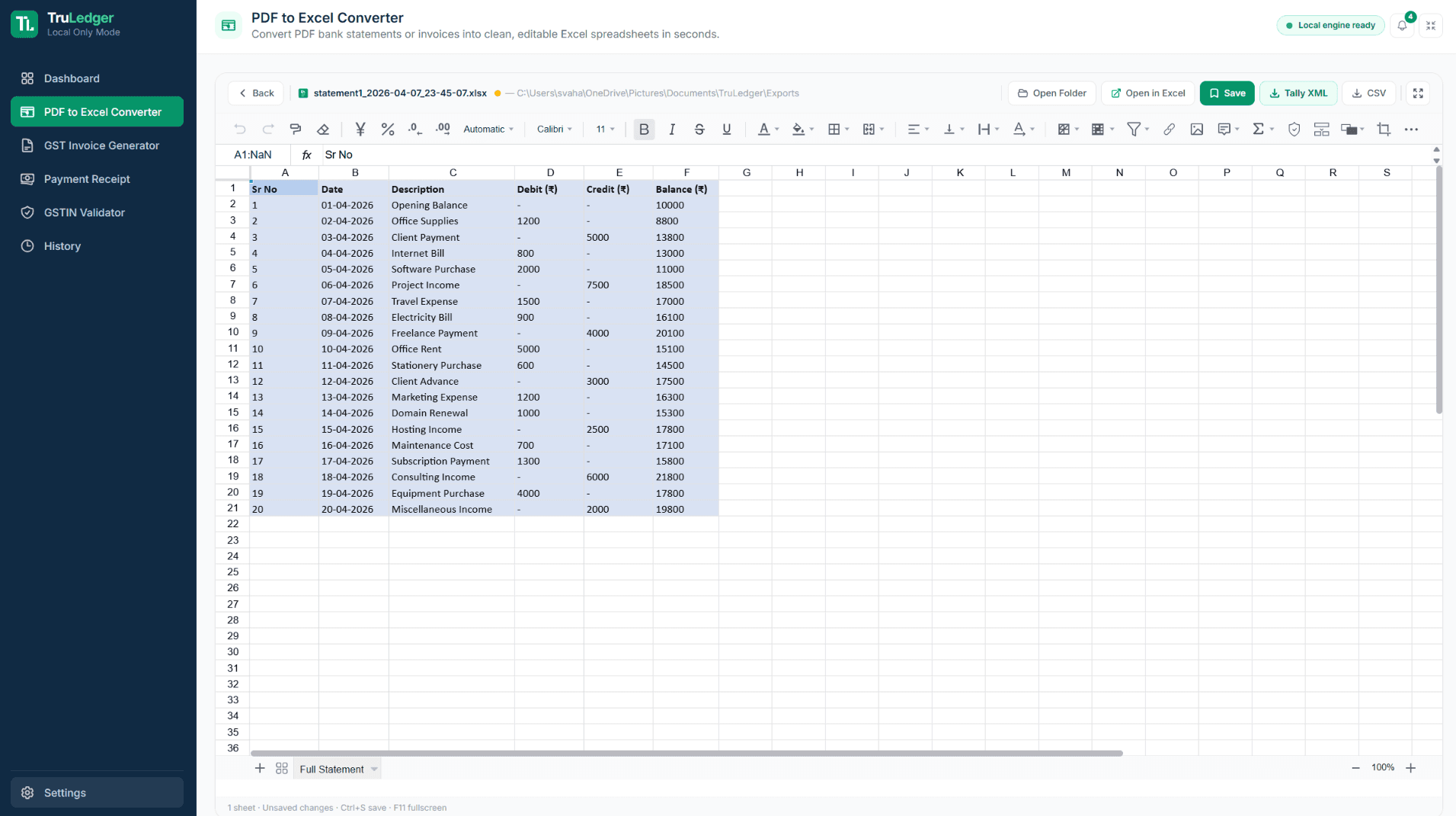
Schema-Validated Tally XML Export
Click a single button to generate Tally Prime / ERP 9 compatible XML files. Our pre-export schema validator actively catches missing ledger names or unbalanced vouchers before you download, preventing Tally rejection errors.
Before exporting, review the Automated Settlement Summary to mathematically verify Total Debits, Credits, and Closing Balance. Then, import your Journal vouchers directly into the Gateway of Tally with zero manual entry.
Simple, Transparent Pricing
Review the current plan options for the Windows desktop workflow. Billing terms are finalized in the portal checkout flow.

Starter
Full access to all tools on a flexible monthly plan.
- All 6 TruLedger tools included
- Built in Spreadsheet Editor
- Direct Tally XML Export
- GST Invoice and Receipt Generator
- Bulk GSTIN Validator
- Standard email support
Professional
Same features, save more with a longer commitment.
- All 6 TruLedger tools included
- Built in Spreadsheet Editor
- Direct Tally XML Export
- GST Invoice and Receipt Generator
- Bulk GSTIN Validator
- Priority email support
- Save 16% vs monthly
Annual
Best value for practicing professionals.
- All 6 TruLedger tools included
- Built in Spreadsheet Editor
- Direct Tally XML Export
- GST Invoice and Receipt Generator
- Bulk GSTIN Validator
- Highest priority support
- Save 37% vs monthly
Common Questions
Where do I manage billing?
Billing actions are handled through the TruLedger billing portal linked from this page.
What is included in each paid plan?
All plans contain the TruLedger tooling set described on this page. View the terms and renewal policy on the billing portal during checkout.
How do I compare plans before purchase?
The following page provides a feature overview, along with a summary of pricing. Please refer to the billing portal for current checkout information.
Need help with billing or plan selection?
If you need clarification on plan selection or billing, contact support before purchase.
Frequently Asked Questions
Quick answers to the most common questions about TruLedger licensing, privacy, and compatibility.
View All FAQsStandard Windows desktop workflows are offline first. When used in desktop mode, workspace records are stored locally on the desktop. When used in a hosted or API deployment the files are processed on the servers belonging to that deployment.
TruLedger exports Tally XML files for import into Tally Prime or ERP 9. Outputs should still be reviewed before import, accounting entry, or client delivery.
Absolutely not. TruLedger has an embedded interactive spreadsheet viewer (FortuneSheet) that will render your parsed data in-app. It allows you to view, edit typos, map ledgers and so on before you output to XML or CSV.




Built for CAs Across India.
TruLedger is engineered to power high-volume accounting workflows for chartered accountants, tax professionals, and businesses nationwide — designed to reliably process thousands of statements.
50+
Indian Bank Profiles
100%
Offline Processing
Zero
Cloud Dependency
TruLedger - Windows Desktop App for Indian Accounting Workflows
TruLedger is an offline-first Windows desktop application built for chartered accountants, tax professionals, and accounting firms across India. It consolidates the most time-consuming data-preparation tasks - converting bank PDFs to Excel, generating GST-compliant invoices, and producing Tally XML export files - into a single local workflow that runs entirely on your Windows PC without uploading sensitive client data to any cloud server.
The PDF to Excel converter supports over 50 Indian bank statement formats and uses heuristic column detection to automatically identify Date, Description, Debit, Credit, and Balance columns. Its post-processing engine merges multi-line narrations that would otherwise cause errors during Tally import. The Bulk FY Consolidation feature accepts an entire folder of monthly bank statement PDFs and produces a single consolidated file for the full financial year.
The built-in spreadsheet editor lets you review, edit, and map ledgers directly inside TruLedger without a Microsoft Excel license. Data-Type Repair automatically corrects date formatting and number inconsistencies before export, and Universal Input allows you to drop existing .xlsx or .csv files directly into the editor for cleanup - no PDF required.
GST invoicing in TruLedger uses a live WYSIWYG editor where you click directly on the invoice preview to edit any field. Automatic state-code routing extracts GSTINs to apply CGST/SGST for intrastate or IGST for interstate transactions. Documents export as PDF, Excel, JSON, or a Tally XML Sales Voucher, covering GST tax invoices, debit notes, credit notes, delivery challans, and payment receipts.
All Tally XML output passes through a pre-export schema validator that checks for missing ledger names and unbalanced voucher totals before download, preventing Tally Prime and ERP 9 rejection errors. The Automated Settlement Summary provides a mathematical reconciliation of Total Debits, Credits, and Opening/Closing Balance before every import.
The free Offline GSTIN Validator uses the Verhoeff check digit algorithm to structurally validate any GSTIN or PAN number without an internet connection - useful for bulk client onboarding where connectivity may be unreliable. TruLedger is designed to process thousands of bank statements and invoices reliably for high-volume accounting practices serving clients across India.